How to set a Field of View of the panorama images?
The Field of View is the visual breadth that limits the view of the panorama and allows you to have a more or less wide view and limit the zoom of the tour.
Select Render Walk → List Tours from the side menu and click the Edit button on the desired tour.

Go to tab HFOV / Interaction — Field Of View.
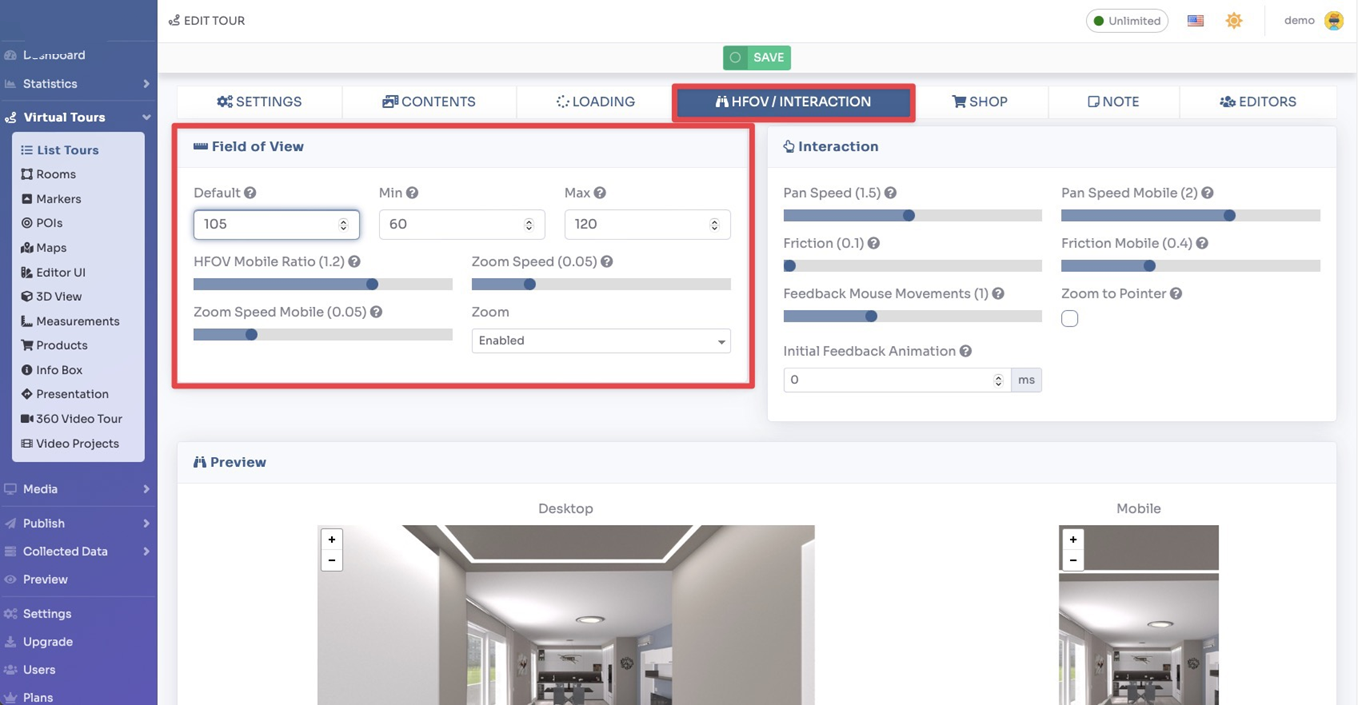
Here you can set the following parameters:
- Default — The default field of view when a panorama is displayed
- Min / Max — Minimum and maximum level of field of view (this allows you to limit the zoom)
- HFOV Mobile Ratio — Allows you to set the levels of the field of view for mobile via a conversion factor
- Zoom speed — Speed of zoom animation
- Zoom — You can enable or disable zoom
You can also set some interaction parameters:
- Pan Speed — Controls the speed of movement when dragging the view
- Friction — Controls the “friction” that slows down the viewer motion after it is dragged and released
- Feedback Mouse Movements — The view follows the movement of the mouse
- Zoom to pointer — When zooming, if this setting is enabled it will follow the mouse; otherwise you will zoom in to the center
- Initial Feedback Animation — An animation shown at the first start of the tour to give the impression that the view can be dragged
By changing the parameters you can see in real time in the previews below how they are applied.