How to AutoRotate a Tour?
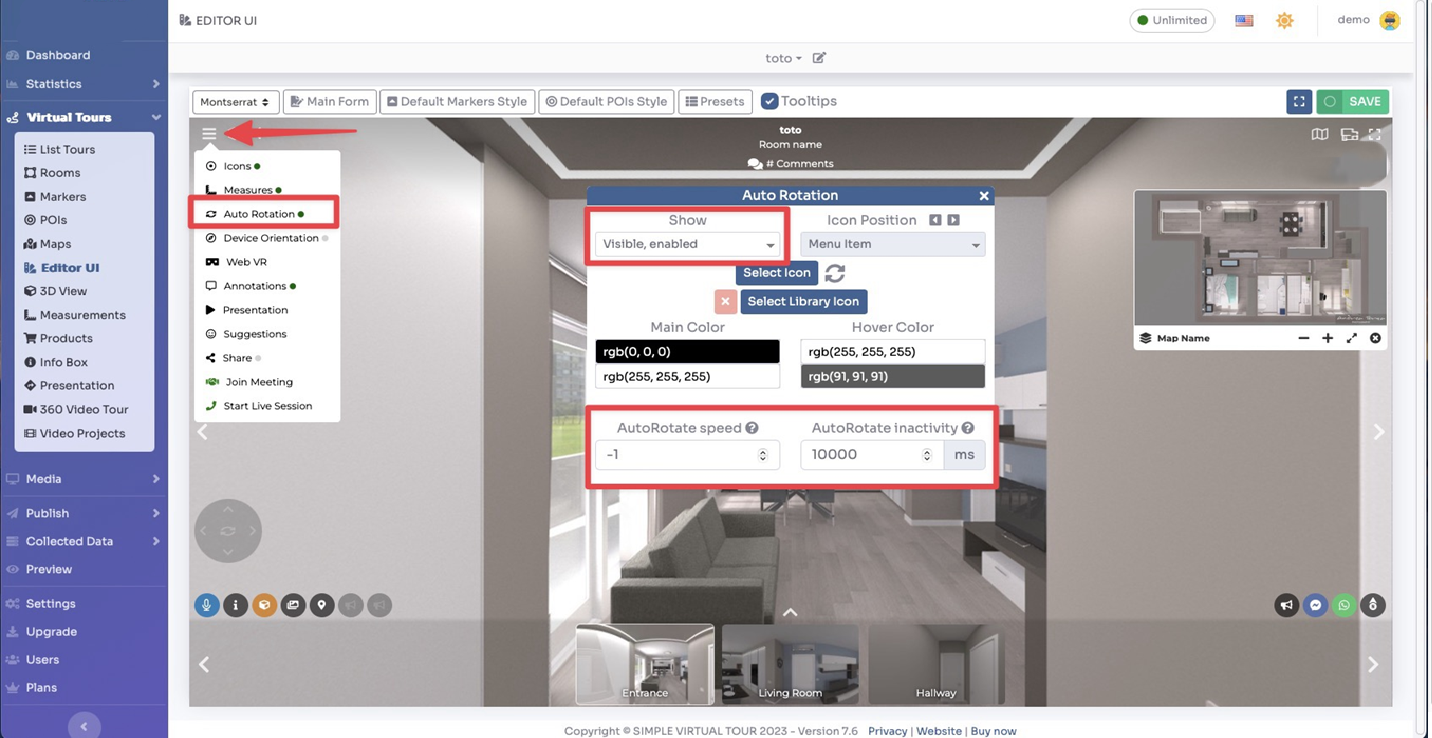
Select Render Walk → Editor UI, from side menu.
Click on top left menu icon, then click on Auto Rotation item and enable it by checking the Show field.
You can change the speed of the rotation (0 to disable, -1 to -10 speed clockwise, 1 to 10 speed counterclockwise) and after how much inactivity time the rotation starts in the below settings.