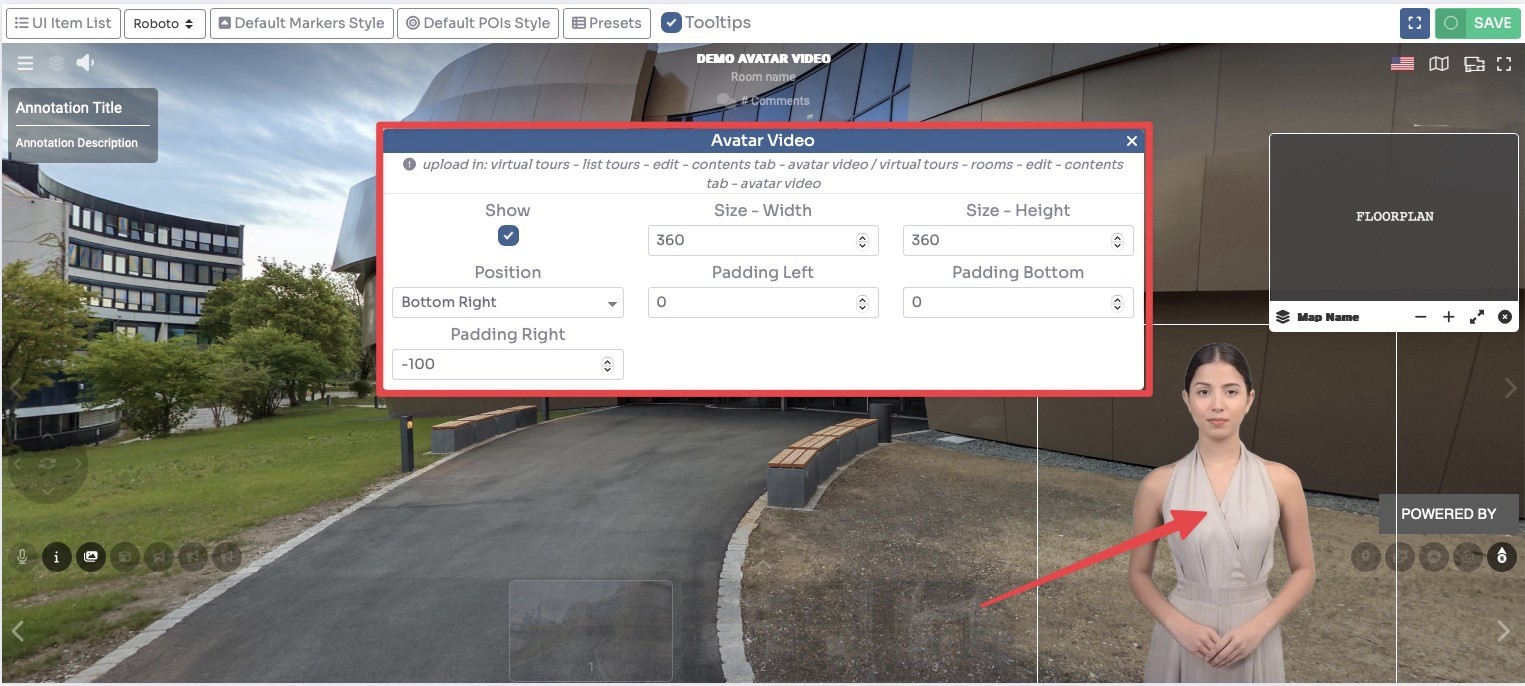
How to add an Avatar Video to the Tour?
A video avatar is a virtual representation of a person that can be used to guide the one who is watching the tour and provide them with explanations.
Main Avatar Video
This video will only be displayed once at the entrance of the tour.
Select Render Walk → List Tours from the side menu and click the Edit button on the desired tour.

Go to tab Contents / Avatar Video.
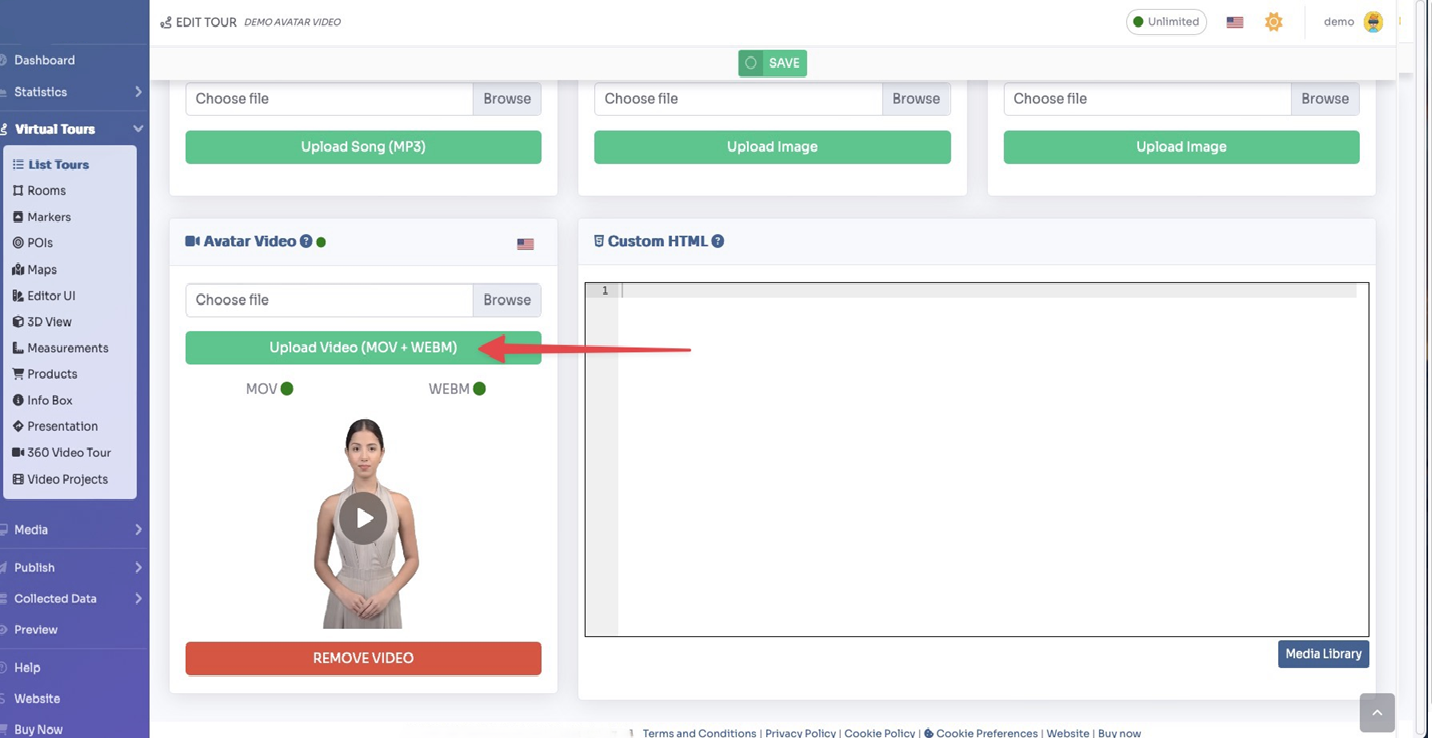
Click on Upload Video button to upload the video.
Note: if you need a video with transparency upload either the webm and the mov for wider compatibility.
Room Avatar Video
This video will be displayed once you enter the room.
Select Render Walk → Rooms from the side menu and click the Edit button on the desired room.

Go to tab Contents / Avatar Video.
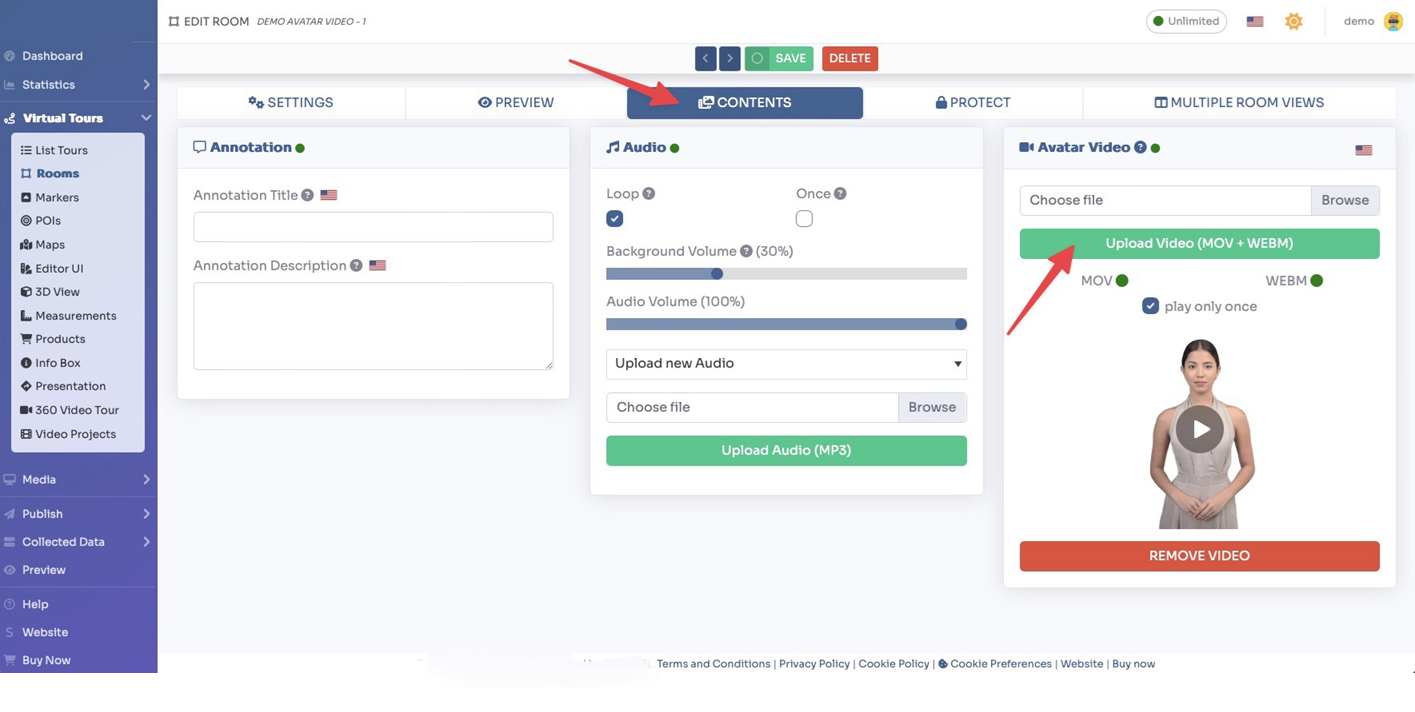
Click on Upload Video button to upload the video.
You can also decide to play the video only once by checking the “play only once” field.
Click Save on top of the page.
You can adjust the size and position of the Video inside the Editor UI.