How to protect a Room?
Select Render Walk → Rooms from the side menu and click the Edit button on the desired room.

Go to the Protection tab in the room settings.
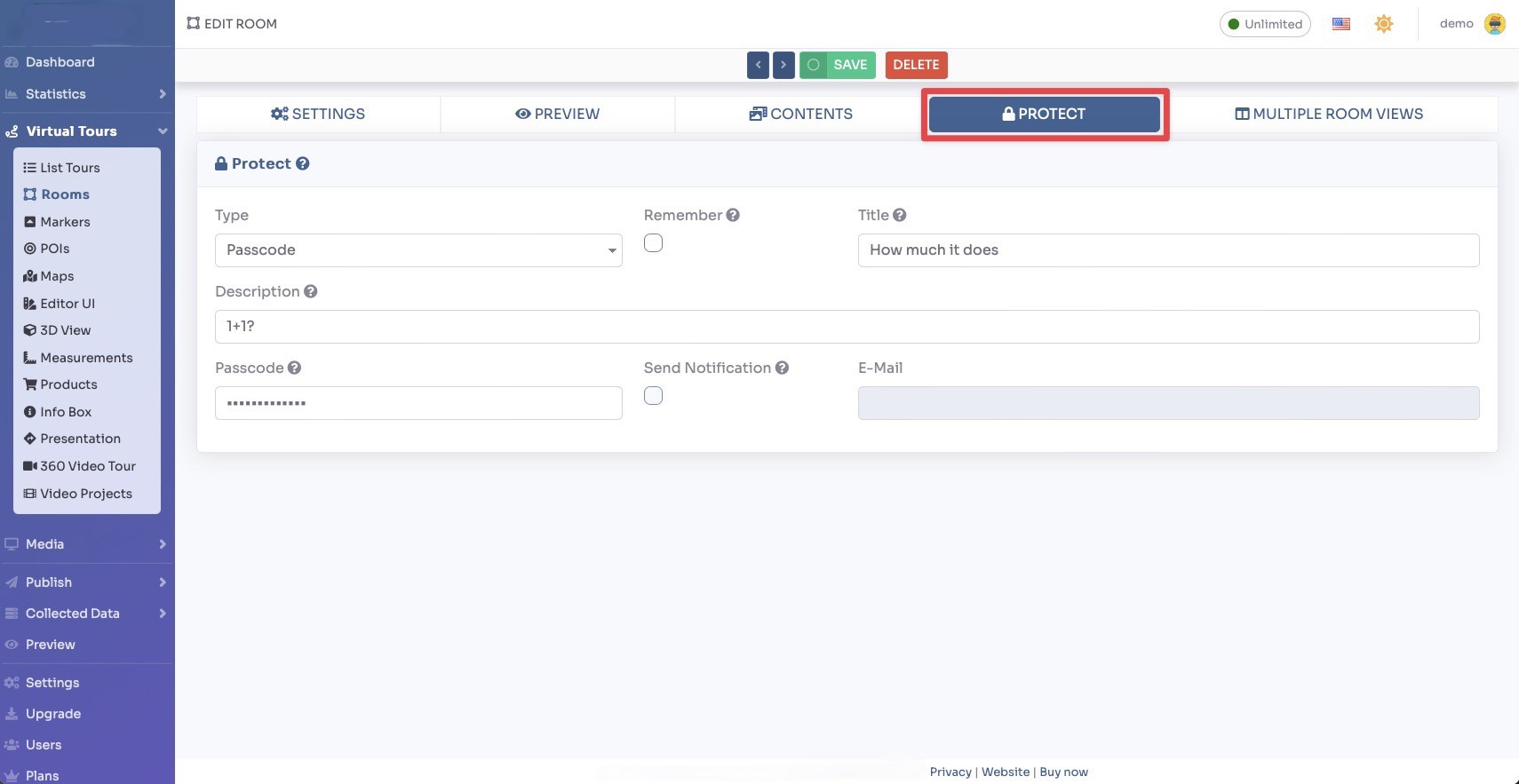
You can restrict access to individual rooms within your tour using the following protection methods:
- Password, visitors must enter a password to access the room. Set a password in the password field and click Save.
- Lead Form, visitors must fill in their contact information (name, email, etc.) before they can enter the protected room. This helps you collect leads from your tour visitors.
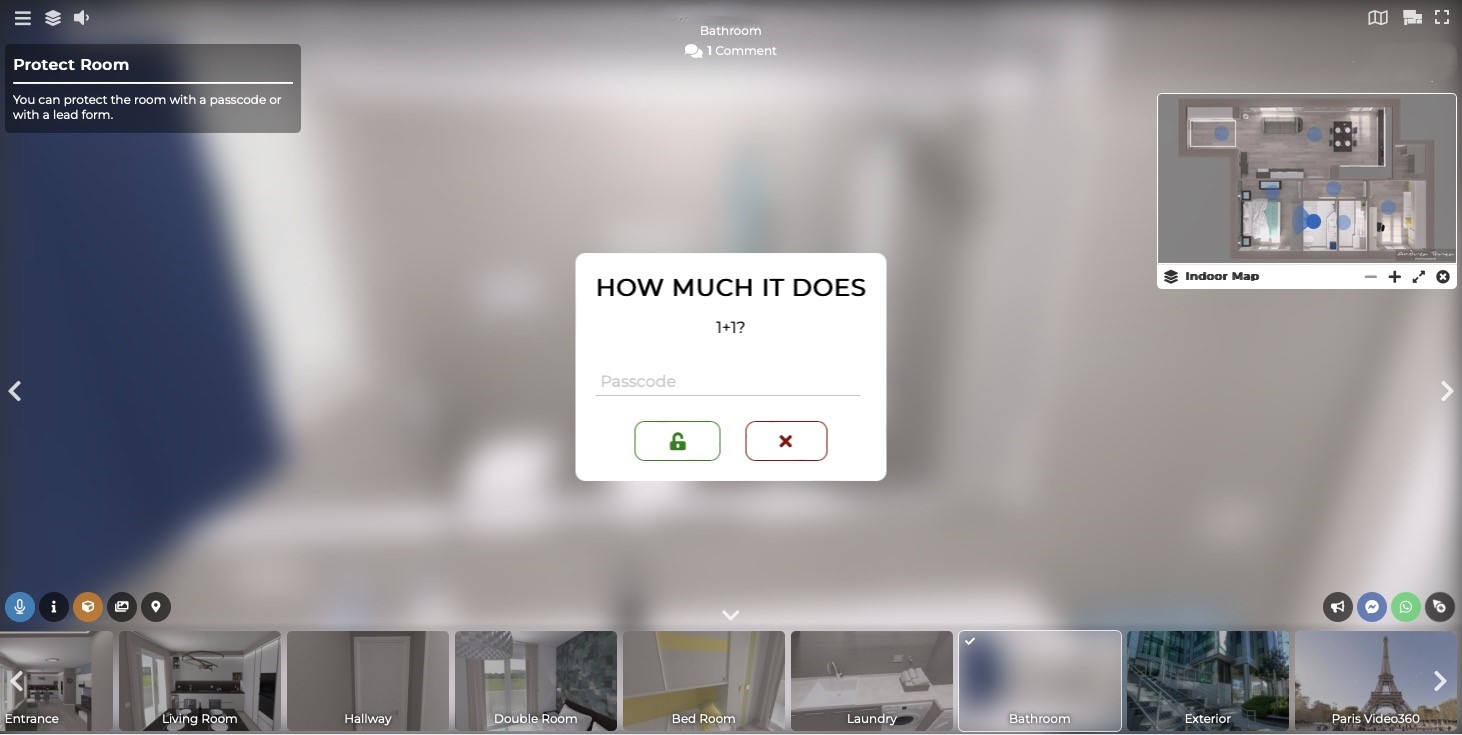
When a visitor tries to enter a protected room, a modal window will appear asking them to enter the password or fill in the lead form before they can proceed.
You can customize the message shown in the protection modal to make it relevant to your use case.
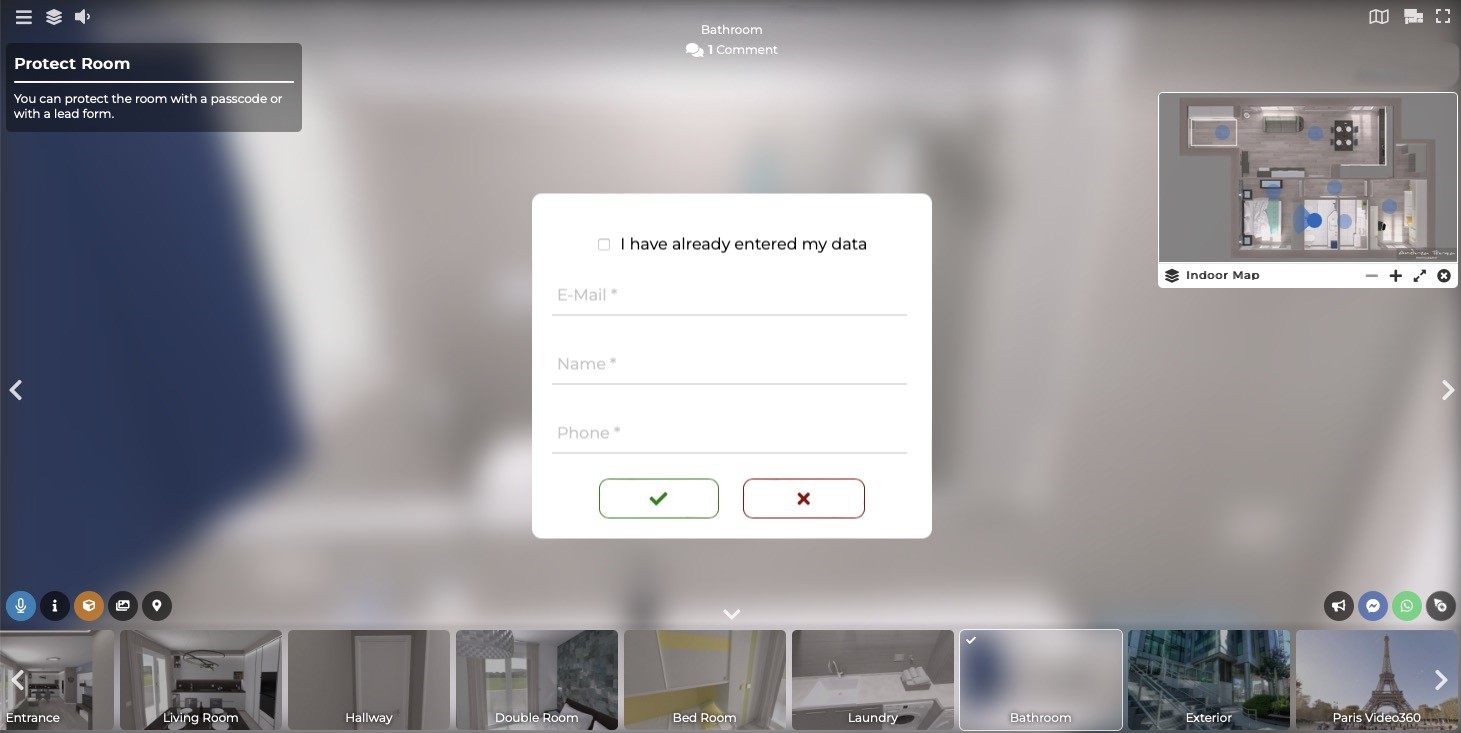
Click Save to apply the room protection. The room will now be restricted and will show the protection prompt when visitors try to access it during the tour.