How to create a Trial Plan?
A Trial Plan is a free subscription plan that is automatically assigned to new users when they register. It allows customers to explore the platform with limited features before upgrading to a paid plan.
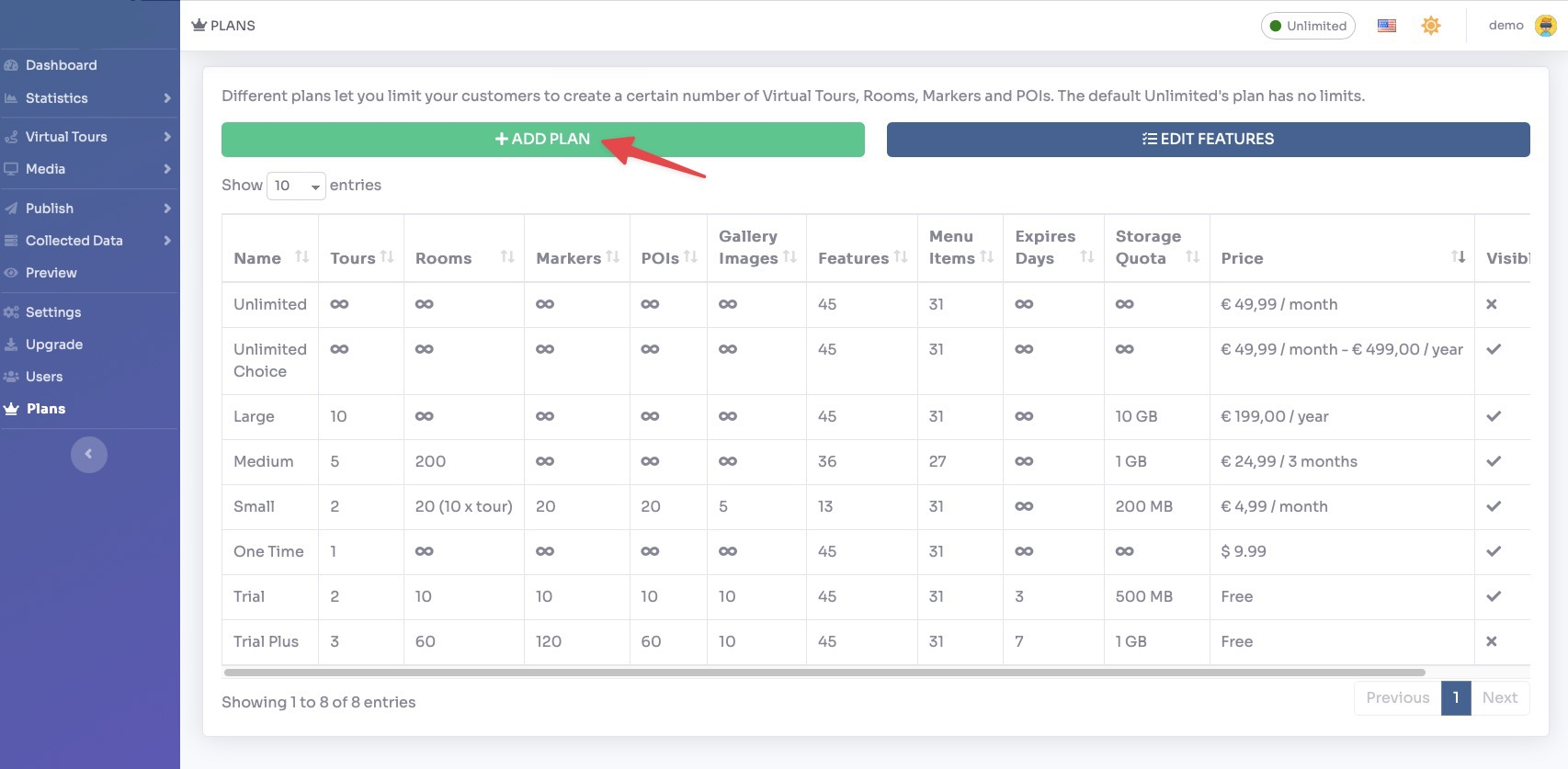
Select Render Walk → Plans, from the side menu.
Click the + Create Plan button to create a new plan.
Fill in the plan details:
- Name — Enter a name for the trial plan (e.g. "Free Trial").
- Price — Set to
0for a free trial. - Expiration Days — Set the number of days the trial is valid (e.g.
14for a 14-day trial). Leave empty for no expiration. - Recurring Interval — Set to None for a one-time trial (no recurring billing).
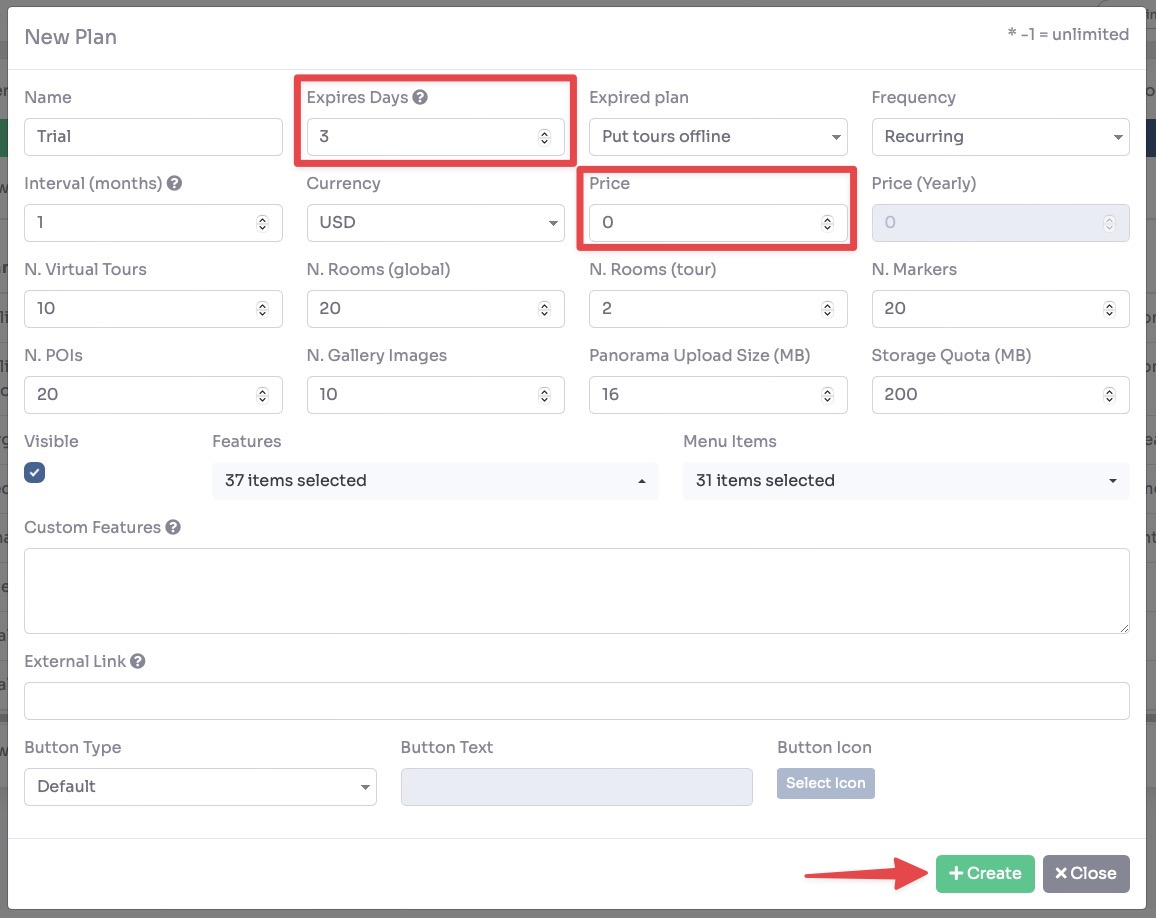
Set the Usage Limits for the trial plan:
- Number of Tours — Maximum tours the customer can create.
- Number of Rooms — Maximum rooms per tour.
- Number of Markers — Maximum markers per room.
- Number of POIs — Maximum Points of Interest per room.
- Number of Images in Gallery — Maximum images in the gallery.
- Upload Size — Maximum file size per upload (MB).
- Storage Quota — Total storage space available to the customer (GB).
Use the Toggle Features and Toggle Menu Items sections to control which features and menu items are visible to customers on this plan.
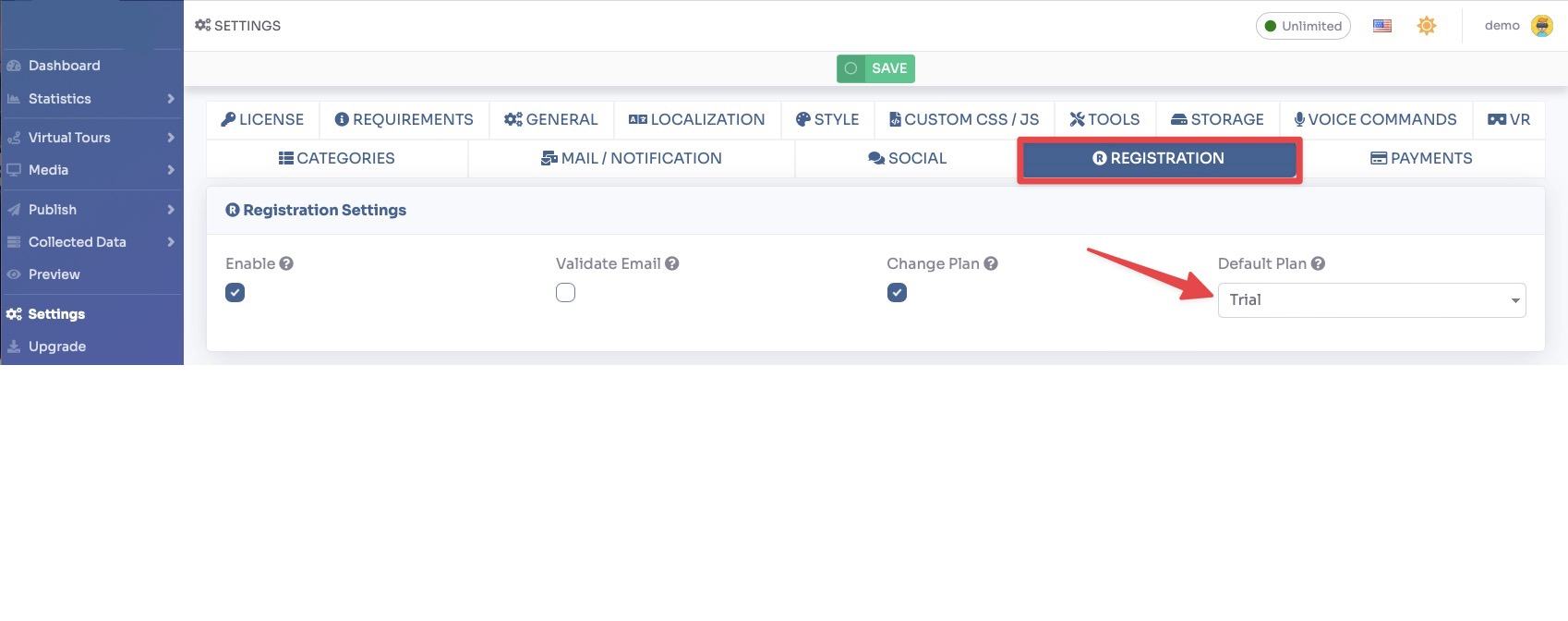
Click Save to create the trial plan.